
Supported configurations

Choose an Arduino board to see every supported way to build your display.

Every configuration uses one USB cable for power, firmware updates, and the serial connection to your PC. Modulino modules connect to each other with Qwiic cables.

Choose your Arduino board, display, and input options
Display
Input
Display
Input
Display
Input

UNO R4 Minima configurations

Full display

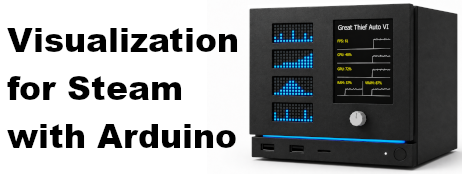
Game artwork, statistics, achievements, and four live metric panels.

UNO R4 Minima + TFT display

Qwiic on the TFT display

Led Matrix (FPS)

Led Matrix (CPU)

Led Matrix (GPU)

Led Matrix (RAM)

Modulino Knob

UNO R4 WiFi configurations

Full display

Game artwork, statistics, achievements, and four live metric panels.

UNO R4 WiFi + TFT display

Qwiic on the TFT display

Led Matrix (FPS)

Led Matrix (CPU)

Led Matrix (GPU)

Led Matrix (RAM)

Modulino Knob

Nano R4 configurations

Compact LED matrices

The smallest supported build for four always-visible system metrics. No input panel needed.

Nano R4

Qwiic on the board

Led Matrix (FPS)

Led Matrix (CPU)

Led Matrix (GPU)

Led Matrix (RAM)