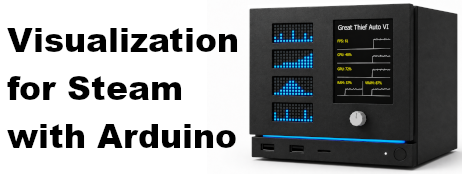

Visualization for Steam with Arduino
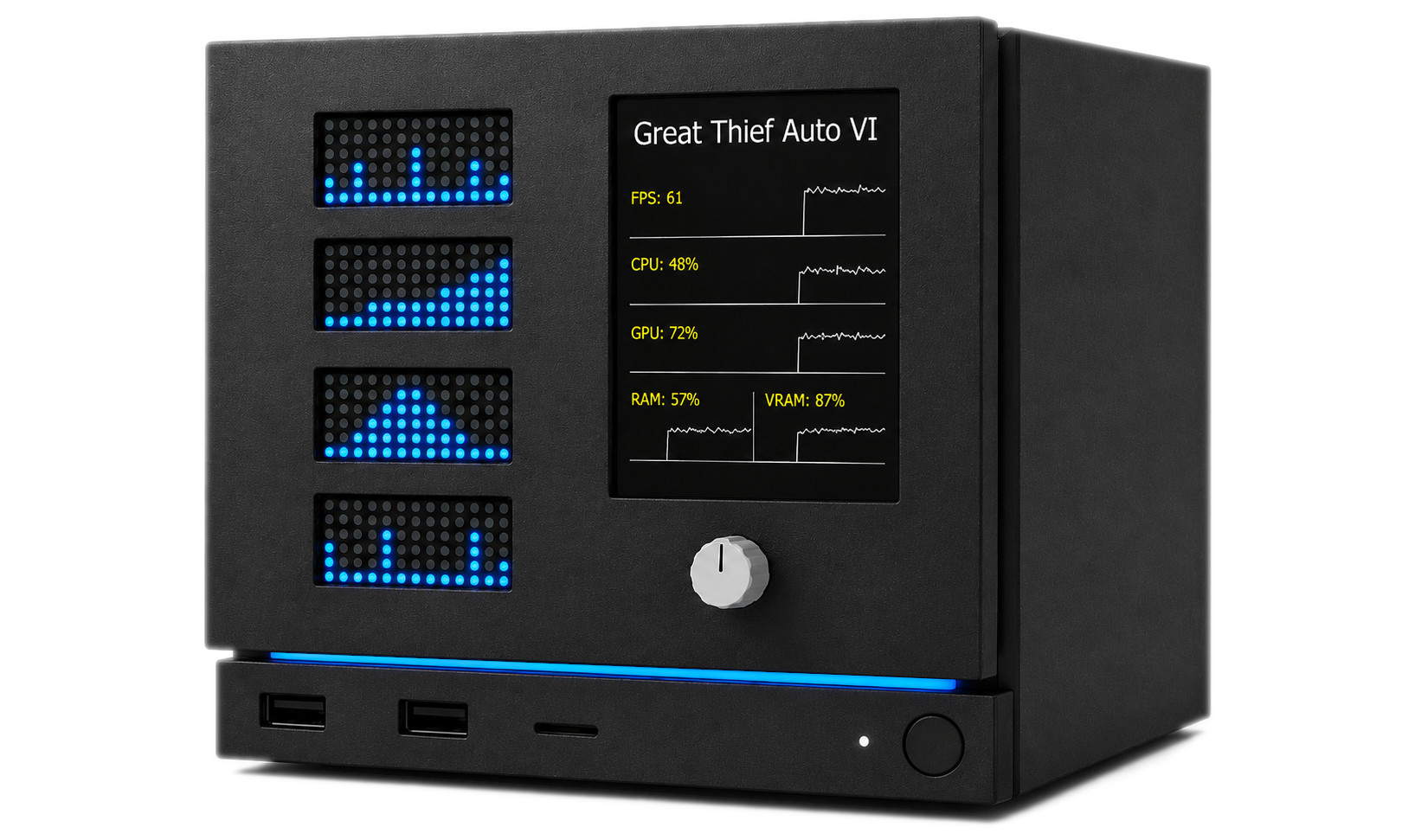
Visualization for Steam with Arduino is a PC software and Arduino firmware package for players who want to build a custom faceplate for their Steam Machine or Steam gaming PC.
The app runs on your PC alongside the Steam client, detects the active Steam user and the currently running Steam game, then streams various metrics to an externally attached Arduino-based display setup. A single USB cable powers the board, flashes the firmware, and carries the serial data connection. With the matching firmware installed on the board, your custom faceplate can show Steam context, system metrics, and achievement information while you play.
Choose a full display build for game artwork, statistics, and achievements, or use the Arduino Nano R4 configuration for the most cost-effective supported setup: a compact, matrix-only build that keeps FPS, CPU, GPU, and RAM visible at a glance. See the Configurations page to compare the supported layouts.
Advantages of this custom faceplate build
- Easy to install and update through Steam. Buy it once to receive future updates.
- Uses off-the-shelf parts that are available worldwide.
- Requires no battery: the board is powered via USB, and the Modulino panels are powered through Qwiic cables.
- Requires no soldering, just connecting the modules via Qwiic cables.
- Makes no permanent changes to the hardware, so the components can be reused for other projects later.
- Does not modify the Steam Machine hardware and should not void its warranty.
- Is not Steam Machine-specific: the same faceplate concept can be adapted to any gaming PC.
What this Steam app does
- Connects to the locally running Steam client.
- Detects the active Steam user and the currently running Steam game.
- Discovers a supported Arduino board connected over USB.
- Flashes the supported firmware to the board, if needed.
- Streams metrics over a USB serial connection.
- Sends game context and system metrics: FPS, CPU, GPU, RAM, and VRAM usage.
- Supports player and global achievement text for games where the required achievement data is available.
- Runs quietly in the background and can be minimized to the system tray.
Compatible hardware
The current release supports the following Arduino boards. Nano R4 is the smallest and most cost-effective choice for a matrix-only build; UNO R4 boards support the broader range of display configurations.
- Arduino UNO R4 Minima (~$20 / ~€22)
- Arduino UNO R4 WiFi (~$28 / ~€31)
- Arduino Nano R4 (~$12 / ~€13)
Choose display hardware to match your board and configuration:
Full display builds support the following input modules. Only one is needed to control the device; connecting multiple input modules is optional, and they can be used together. The Nano R4 matrix-only configuration does not require or use an input module.
- Arduino Modulino Knob (~$8 / ~€9)
- Arduino Modulino Buttons (~$8 / ~€9)
- Arduino Modulino Joystick (~$15 / ~€16)
The reference module layout uses Qwiic cables for Modulino connections. Each Modulino panel comes with a short cable. If your layout needs more space between modules, we recommend this Qwiic cables bundle (~$10 / ~€11). Your own faceplate, enclosure, mounting, and cable routing are up to your project design.
Controlling the device
These controls apply to full display builds. The Nano R4 configuration keeps its four live metrics continuously visible and does not use an input module.
Arduino Modulino Knob
- Turn counterclockwise to scroll up.
- Turn clockwise to scroll down.
- Press once to switch to the next display page.
- Double-click to show the current game's cover until another double-click or a display page change.
Arduino Modulino Buttons
- Press the left button (A) to scroll up.
- Press the right button (C) to scroll down.
- Press the middle button (B) once to switch to the next display page.
- Double-click the middle button (B) to show the current game's cover until another double-click or a display page change.
Arduino Modulino Joystick
- Tilt up to scroll up.
- Tilt down to scroll down.
- Tilt left to switch to the previous display page.
- Tilt right to switch to the next display page.
- Press once to switch to the next display page.
- Double-click to show the current game's cover until another double-click or a display page change.
A half tilt triggers one action. Keeping the joystick tilted does not repeat the action.
Possible hardware topologies
The faceplate can be assembled in the following supported configurations. See the Configurations page for board-specific layouts and wiring diagrams.
- Main topology: Arduino UNO R4 Minima or Arduino UNO R4 WiFi, Adafruit 2.8-inch TFT Display Shield V2, four Arduino Modulino LED Matrix modules, and one or more supported Arduino Modulino input modules.
- UNO R4 WiFi matrix-only topology: Arduino UNO R4 WiFi and four Arduino Modulino LED Matrix modules. The board has its own Qwiic connector, so no TFT display or input module is needed.
- Most cost-effective topology: Arduino Nano R4 and four Arduino Modulino LED Matrix modules. This compact setup displays FPS, CPU, GPU, and RAM, uses the board's built-in Qwiic connector, and requires neither a TFT display nor an input module.
Faceplate fit and airflow
The Arduino board and TFT display must physically fit behind your custom Steam Machine faceplate. The reference board and display stack is approximately 2 cm tall, so your design needs a larger gap between the faceplate and the machine chassis to leave room for the electronics, and cables.
No additional cooling is required for the faceplate electronics because the Steam Machine already draws enough intake air through that area. Your custom build should still avoid blocking the machine's existing airflow path.
Supported data
Visualization for Steam with Arduino is built around compact, real-time status updates that fit on small displays and LED matrices. Depending on the selected configuration, game, system, drivers, and available Steam data, the board can receive:
- Steam persona name and currently running game
- Game cover artwork
- FPS, CPU, GPU, RAM, and VRAM usage
- Lifetime and recent two-week playtime
- Unlocked and total achievement counts
- Current online player count
- Game-specific player statistics where available
- Player and global achievement details, including artwork and unlock progress
Full display configurations can also show system fan speed and CPU, GPU core, GPU hot spot, GPU memory, DDR memory, and NVMe drive temperatures when the operating system and hardware expose those readings. The Nano R4 matrix-only configuration focuses on FPS, CPU, GPU, and RAM usage.
Some fields may be unavailable on some systems or in some games. Hardware counters, driver support, operating system permissions, and game-specific Steam data can affect what the app can detect.
System requirements and setup notes
The app is intended for Windows and Linux desktop systems, including SteamOS, running the Steam client. A compatible Arduino board must be connected by USB and visible to the operating system as a serial device. Internet access is required during setup and normal use for firmware download, game artwork, and supported Steam achievement data.
Not an official hardware bundle
This is an independent companion utility and firmware package for hobbyist faceplate projects. It is not made by, endorsed by, sponsored by, or affiliated with Valve, Arduino, or Adafruit. Steam, Steam Machine, SteamOS, Arduino, Modulino, and Adafruit names are used only to identify compatibility with the relevant software, boards, and accessories.
Contact
Questions, feedback, feature requests, and compatibility reports are welcome. Email us at v4swa@dunaparty.hu.
Trademarks and copyright
Valve, the Valve logo, Steam, the Steam logo, Steam Machine, and SteamOS are trademarks and/or registered trademarks of Valve Corporation.
Arduino, the Arduino logo, and Modulino are trademarks or registered trademarks of Arduino S.r.l.
Adafruit is a trademark or registered trademark of Adafruit companies.
All other trademarks are the property of their respective owners.
Application software, Arduino firmware, store assets, and trailer video content are copyright © 2026 Dunaparty. All rights reserved, except where separate third-party licenses apply.
Trailer music credit
Punch by Alex-Productions ·
onsound.eu
Music promoted by
Chosic
Creative Commons CC BY 3.0